01
Keep the original audio local.
Local storage makes the trust boundary visible, and the source is always there when a transcript or summary needs checking.
RecordAI is a private, local-first AI meeting assistant I designed and built for Hebrew and English product-discovery calls. It records locally, transcribes through my own private worker, and turns the conversation into insights, decisions, open questions and next steps.
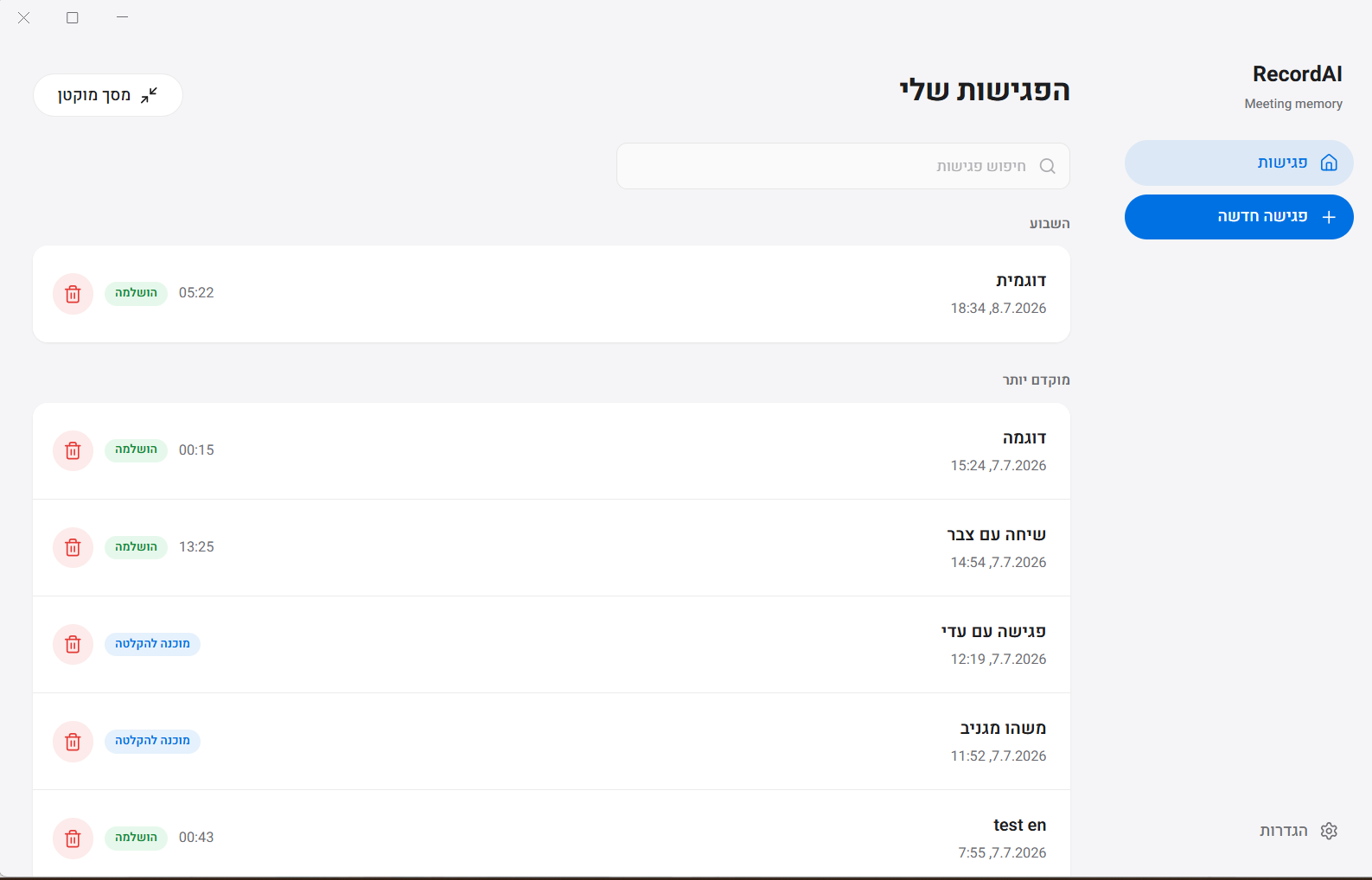
RecordAI keeps preparation, recording, transcription and follow-up in one place. In a room, it records through the microphone. On a call, it captures my microphone and the system audio separately, so the transcript knows what was "me" and what was "others."
The original audio never leaves my machine. Only the transcription runs remotely, on a private worker I set up for usable Hebrew.
I don't run enough meetings to justify roughly $20 a month for a meeting-assistant subscription. And discovery conversations are sensitive - I wanted to know exactly where the audio lives.
The existing tools were weakest where I needed them most: Hebrew I could actually use, reliable local recording, meetings that happen in a room, and summaries built for product discovery instead of generic minutes.
So the goal wasn't "add an AI summary." It was to keep the intent of a discovery conversation alive from the first question to the last follow-up.
The original recording stays stored locally. Transcription runs on my own worker, not inside someone else's meeting bot.
Physical meetings are recorded through the microphone. Discovery happens in rooms and hallways, not only on scheduled calls.
Online calls record the microphone and system audio as separate inputs, so the transcript can tell my side from everyone else's without pretending to know every voice.
The worker uses IVRIT/faster-whisper, so Hebrew and English are part of the core architecture from day one.
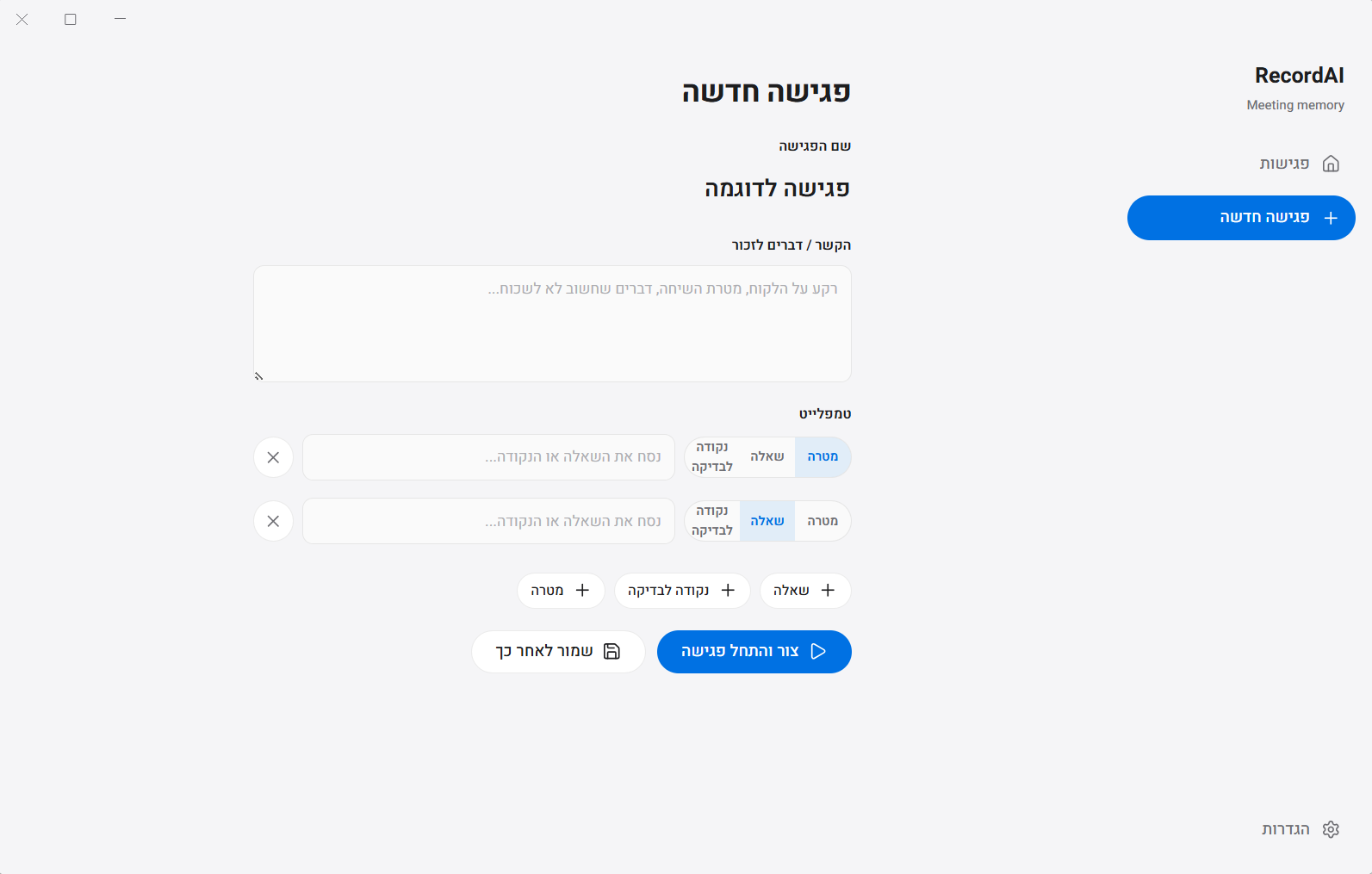
Before a meeting I set the goal, the questions and the checkpoints. RecordAI is a small meeting workspace, not just a recorder.
The prep lives on the same meeting that will later hold the audio, the transcript and the summary - so afterwards I can check whether I actually got my answers.
In a room it behaves like a local recorder. On a call it captures my mic and the system audio separately. I stay in the conversation and drop timestamped notes instead of typing everything live.
The recording state is always visible. Trust is gone the moment you have to wonder whether the meeting is being captured.
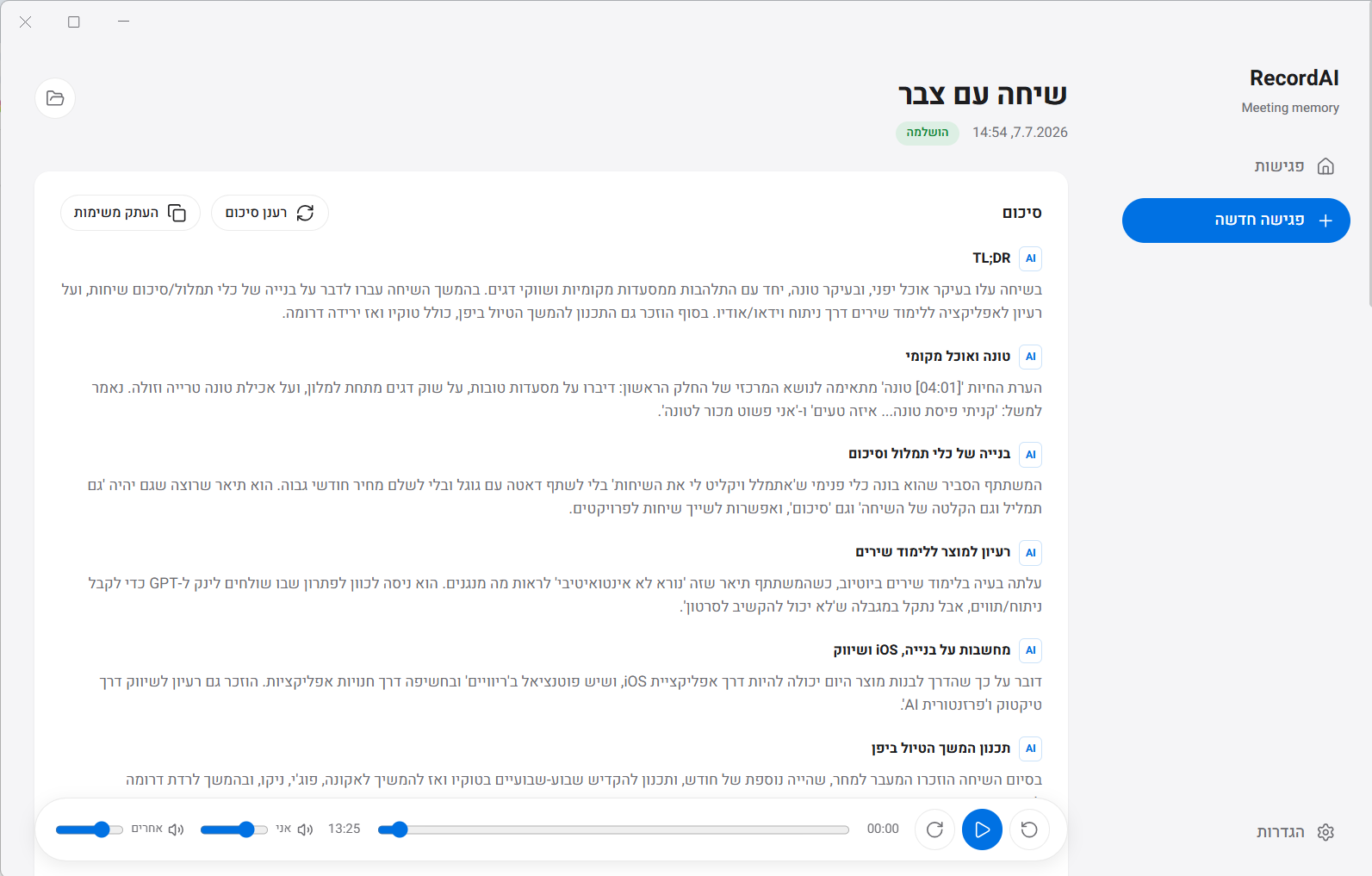
A generic summary compresses the conversation. RecordAI pulls out the evidence I need for product work:
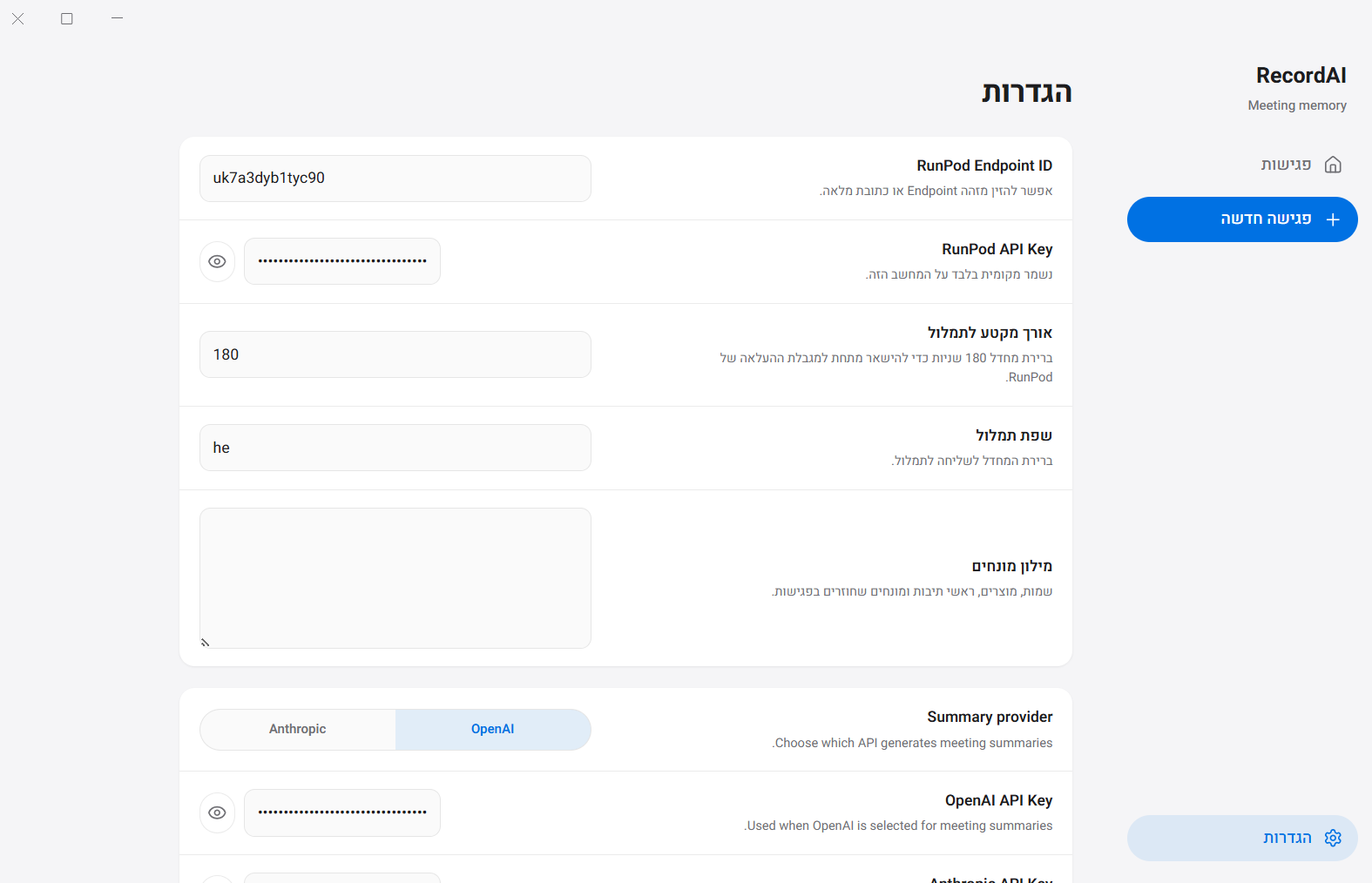
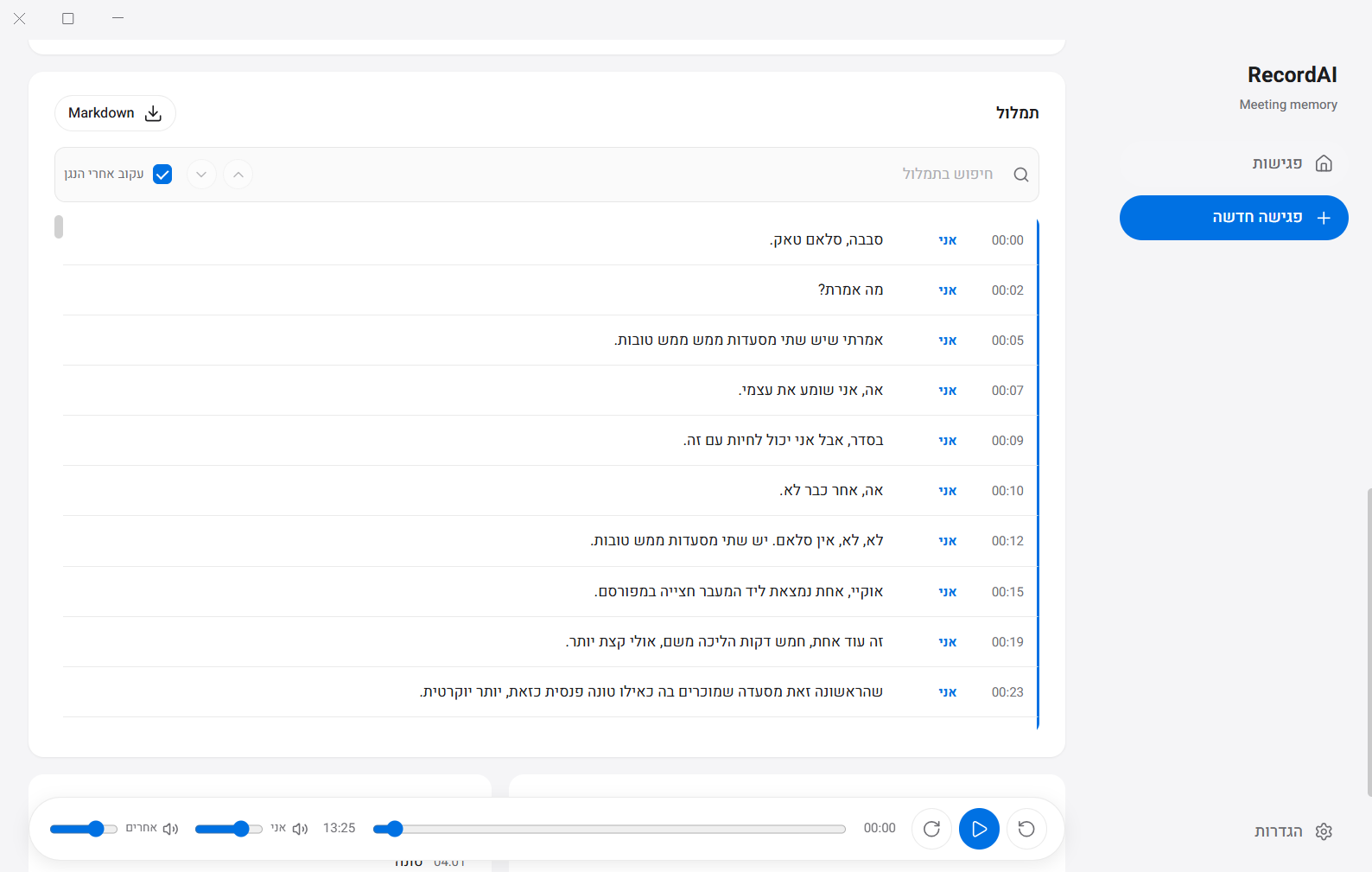
After the meeting, the audio goes to a private RunPod worker running IVRIT/faster-whisper. Long recordings are split into chunks, transcribed, and merged back into one timeline.
Local storage makes the trust boundary visible, and the source is always there when a transcript or summary needs checking.
On calls, the recording setup itself tells "me" from "others." No claim of perfect person-by-person speaker recognition.
Chunks keep long calls manageable for the worker. Merging returns one continuous timeline, so the plumbing never becomes a UX problem.
The summary follows the decisions a product designer makes after a call. The AI output is part of the interface, not a block of text.
RecordAI fits how I meet, handles Hebrew and English, protects sensitive conversations and gives me follow-up in the shape I work in.
A useful AI product isn't defined by having AI. It's defined by privacy, cost, language quality, reliability and control over the workflow.
What I'll measure next: transcription quality by language and meeting type, processing time for long recordings, correction rate, summary usefulness and cost per processed hour. Numbers go here only once there's a repeatable test set behind them.
A private, local-first AI meeting assistant for Hebrew and English product-discovery conversations. It combines preparation, recording, transcription and structured follow-up.
Yes. It records in-person meetings through the microphone and keeps the original audio locally.
On online calls it records the user's microphone and the system audio separately, keeping "me" and "others" context. It does not claim perfect person-by-person speaker identification.
Audio goes to a private RunPod worker built with IVRIT/faster-whisper. Long recordings are chunked, transcribed and merged into one timeline.
Product insights, decisions, open questions, checkpoints and follow-up tasks, alongside the transcript and timestamped notes.
No. It's an internal product Itamar Katan designed and built for his own meeting workflow.